How AI receipt automation actually works
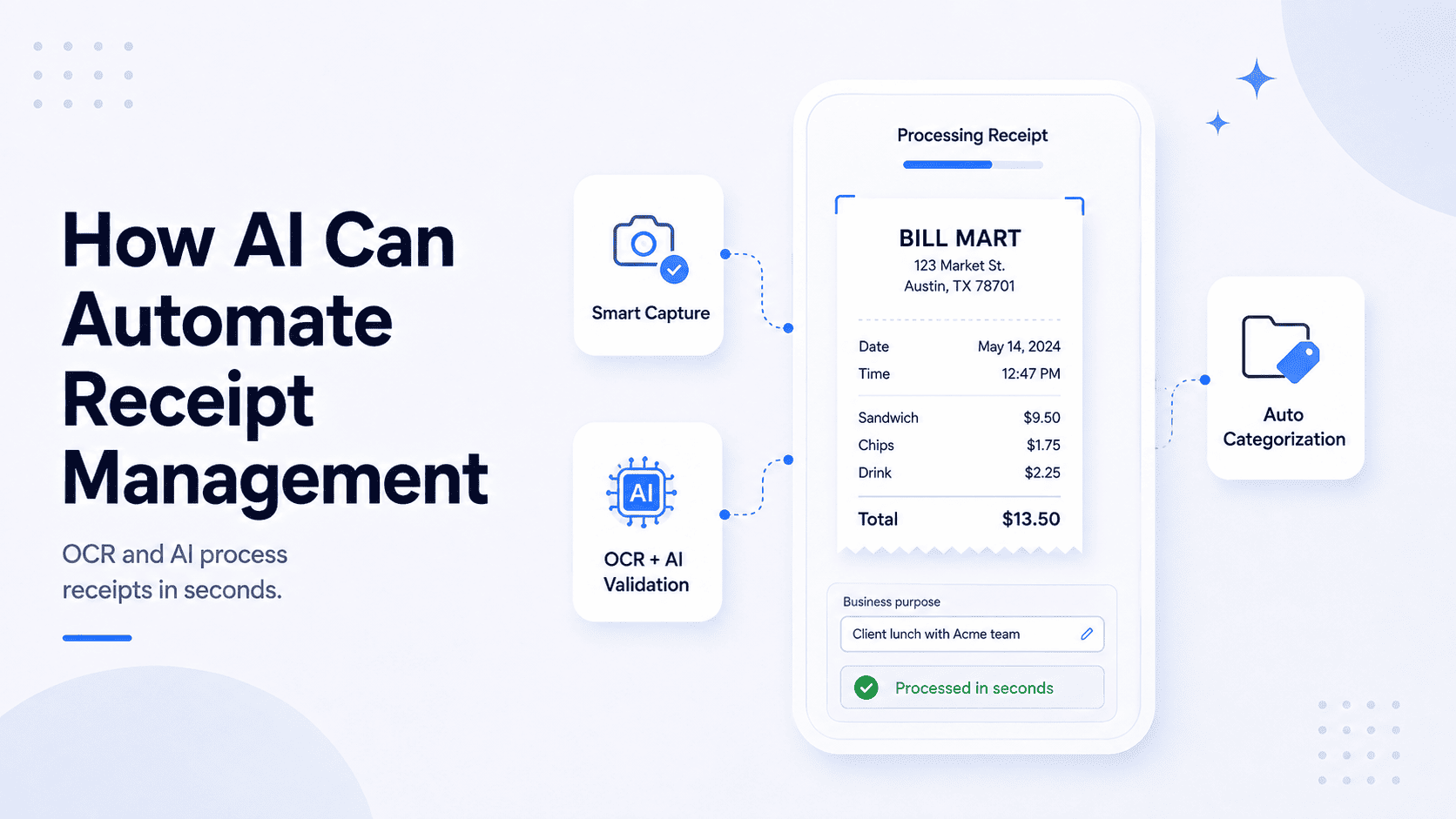
Before adding any AI tool to your work routine, it is useful to understand how it works. The technology behind receipt automation is based on two main things: OCR (Optical Character Recognition), which extracts text from a receipt image (whether it’s printed or digital), and AI, which validates, categorises, and routes that data.
When a receipt enters the system, OCR reads the key fields. Many modern tools can also flag duplicates, identify unusual entries, and push the extracted data directly into accounting software. The entire process usually takes only a few seconds without anyone touching a keyboard.
Publication 463 requires businesses to keep records that support their deductible expenses. A well-configured AI tool can automatically capture many of the transaction details needed for those records, reducing the amount of manual work involved.
Important: even though the AI easily handles the capture and extraction, it cannot document the business purpose. This part still remains your responsibility under the IRC Section 162. A quick and short note in the tool at the moment of transaction is totally enough and the AI will do the rest.
Things to pay attention to
Knowing where AI tools can make mistakes helps avoid problems later on.
One of the most common issues is quality of image. If you upload blur photos, shadows or cropped receipts, the OCR might miss some of the main details. To prevent this AI tools can provide real-time capture feedback - that's the feature you want to have.
Fraud detection is another useful feature. Better tools can flag duplicate or suspicious receipts before they enter your records.
And a small tip - don’t forget to check if the offered AI tool integrates with your current business software. Otherwise it might become more of a headache than a help.
5 tools worth knowing about
Talking about the actual tools here are some names worth mentioning:
Expensify
Best for: Teams with employees submitting expense reports.
Expensify combines receipt capture, approvals, reimbursements, and expense reporting in a single platform. Simple and user friendly system collecting it all.
Pros: Everything in one platform, free individual plan available.
Cons: Might be way too much for a freelancer's needs.
Dext
Best for: Accountants managing multiple clients.
Easily uploads via mobile, email, WhatsApp, or web, pulls the data and pushes it straight to Xero or QuickBooks. Built specifically for professional bookkeepers handling multiple client accounts.
Pros: Very accurate, has deep accounting integrations and is already trusted by professionals.
Cons: No inbox monitoring - every receipt still needs a manual upload or forward. Per-client pricing adds up.
Receiptor AI
Best for: Freelancers and small businesses who want to forget manual work
This tool connects directly to your email and works in the background. Receipts get captured, extracted, and pushed to your accounting software automatically as they arrive at the mailbox - nothing to forward, nothing to upload. Also scans backwards through your inbox to recover older documents.
Pros: Fully automated, no manual steps required, retroactive scanning. 14-day free trial.
Cons: Higher starting price.
SparkReceipt
Best for: freelancers on a tight budget.
Photograph a receipt, the app reads it and stores it. Has additional functions like multi-currency support, integrates with tax software, simple and easy to use.
Pros: Cheap, simple and mobile-friendly.
Cons: Basic automation only, limited integrations. Will feel limited as your business grows.
Wave
Best for: Solopreneurs who want everything free.
Free accounting software with a built-in receipt scanner. Covers invoicing, expense tracking, and bookkeeping in one place at no cost.
Pros: Completely free, covers more than just receipts.
Cons: You still upload everything manually. The scanner is basic compared to dedicated tools.
How to choose the right one
To make the right choice you need to answer a few main questions: where do your receipts come from and how do they arrive?
If receipts arrive mainly by email then your choice could be Receiptor AI or Expensify. If you have employees submitting expense reports then Expensify is built for you. If you work with an accountant on Xero or QuickBooks Dext or Receiptor AI might be the right choice. If you are a solo freelancer on a tight budget - SparkReceipt or Wave it is.
The best tool is usually the one that fits the way receipts already enter your business.